Digital eye strain is the tired, dry or blurry-eyed feeling many people get after long periods looking at computers, tablets and phones. You can usually ease it by taking regular eye breaks, blinking more, adjusting screen brightness and position, and improving the lighting around you. If symptoms persist or come with pain or changes in vision, see an eye doctor.
Screens are part of almost every job now, so the Glorvix.com editorial team put together this practical guide for professionals who spend most of the day in front of a monitor.
Key takeaways
- Common signs include dry, tired or watery eyes, blurred vision and headaches after screen use.
- Follow the 20-20-20 rule: every 20 minutes, look at something about 20 feet away for 20 seconds.
- Blink consciously, match screen brightness to the room and reduce glare.
- Sit about an arm’s length from the screen and look slightly down at it.
- Get regular eye exams and see an eye doctor if symptoms do not improve.
Note: This guide is general information, not medical advice. It cannot diagnose an eye condition. If you have eye pain, sudden vision changes or symptoms that do not go away, contact an eye care professional promptly.
What is digital eye strain?
Digital eye strain, sometimes called computer vision syndrome, describes a group of eye and vision complaints linked to prolonged screen use. It is common among office workers, students and anyone who reads on a device for hours.
The good news is that it is usually temporary. The American Academy of Ophthalmology explains that screen use does not permanently damage your eyes, but it can cause discomfort, partly because people blink much less often while looking at screens. Less blinking means the surface of the eye dries out faster.
Focusing at a fixed distance for long stretches, glare, poor lighting and an uncorrected or outdated glasses prescription can all add to the problem.
Common symptoms
Symptoms vary from person to person and often build up over the working day. Typical signs include:
- Dry, gritty or burning eyes
- Watery or tearing eyes
- Blurred vision, especially when looking up from the screen
- Tired or aching eyes
- Headaches
- Neck and shoulder discomfort from leaning towards the screen
That last point shows how eye comfort and posture are linked. If you find yourself craning forward to read, your screen setup may need adjusting as well as your habits.
The 20-20-20 rule
The simplest habit to build is regular focusing breaks. The US National Eye Institute recommends that you rest your eyes by taking a break every 20 minutes to look at something about 20 feet away for 20 seconds.
This gives the focusing muscles a chance to relax. A few ways to make it stick:
- Set a recurring timer or use a break reminder app.
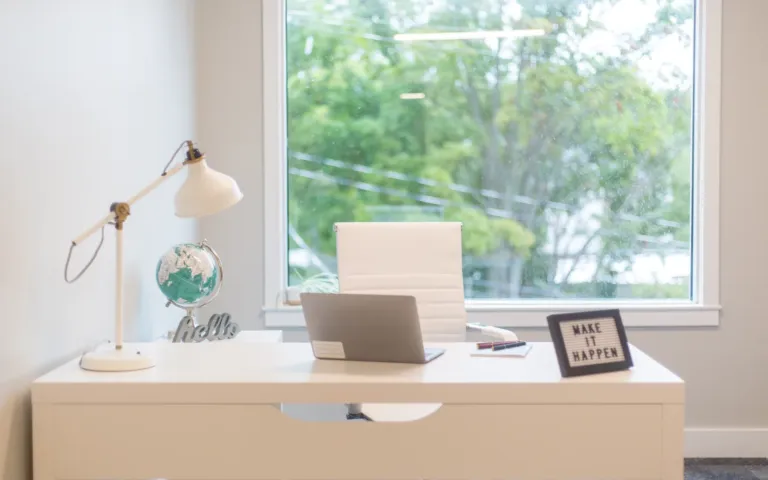
- Position your desk so you can see out of a window or across a room.
- Pair the habit with natural pauses, such as sending an email or ending a call.
- Blink fully a few times during each break to re-wet your eyes.
Longer breaks matter too. Standing up and moving away from the screen every hour helps both your eyes and your body.
Adjust your screen settings and position
Small changes to the screen itself can noticeably reduce strain.
Brightness, contrast and text size
Match screen brightness to the surrounding room. A screen that is much brighter or darker than its surroundings makes your eyes work harder. Increase contrast if text looks washed out, and enlarge the text so you can read comfortably without leaning in.
Distance and angle
Sit roughly an arm’s length from the screen, with your gaze angled slightly downward. This also keeps your neck in a more relaxed position. Our desk ergonomics guide explains how to set monitor height alongside your chair and keyboard.
Phones and tablets
The same principles apply to smaller devices. Hold them a comfortable distance away, increase the font size and take breaks rather than scrolling for long periods without looking up.
Get the lighting right
Glare and harsh contrast are common causes of eye discomfort in offices and home workspaces.
| Problem | Why it strains your eyes | What to try |
|---|---|---|
| Window behind the screen | Bright background makes the screen look dim | Turn the desk so the window is to the side; use blinds |
| Window behind you | Causes reflections on the screen | Close blinds or angle the screen away |
| Bright overhead lights | Glare and reflections on glossy screens | Dim or reposition lights; consider a matte screen filter |
| Dark room, bright screen | Strong contrast tires the eyes | Add soft ambient light or a desk lamp |
| Dry, warm air | Eye surface dries out faster | Avoid air vents blowing at your face; consider a humidifier |
For more practical wellbeing advice, browse our health guides.
Other habits that help
Beyond breaks and lighting, a few everyday habits can make screen time more comfortable:
- Blink on purpose. Make a conscious effort to blink fully, especially when concentrating.
- Consider lubricating eye drops. Over-the-counter artificial tears can ease dryness for some people; ask a pharmacist or eye doctor which type suits you.
- Review contact lens habits. If lenses feel dry by the afternoon, giving your eyes a rest with glasses on some days may help.
- Keep your prescription current. An outdated prescription can make your eyes work harder at screen distance.
- Protect your evenings. Building screen-free time into your routine supports rest; our guide to a productive morning routine covers planning a balanced day.
At Glorvix.com we also encourage teams to treat eye comfort as part of workplace wellbeing, alongside good desks and sensible working hours. You can read more on balancing work and life in our lifestyle section.
When to see an eye doctor
Most digital eye strain improves with better habits, but some symptoms deserve a professional check. Book an appointment with an optometrist or ophthalmologist if:
- Symptoms continue even after you have improved breaks, lighting and screen setup.
- You have persistent redness, light sensitivity or watering.
- Your vision is regularly blurred or has changed.
- You have frequent headaches linked to reading or screen use.
Seek urgent care for eye pain, a sudden change or loss of vision, flashes of light or a sudden increase in floaters. Regular eye exams are worthwhile even without symptoms, because some eye conditions develop without obvious early signs.
Looking for more practical guides for busy professionals? Visit the Glorvix.com blog and homepage for our latest articles.
Frequently asked questions
Can digital eye strain permanently damage my eyes?
According to the American Academy of Ophthalmology, screen use does not cause permanent eye damage, though it can cause temporary discomfort such as dryness, blurred vision and tired eyes. Symptoms usually ease with rest and better habits. If they persist or you notice changes in your vision, see an eye care professional to rule out other causes.
Does the 20-20-20 rule really help?
The 20-20-20 rule is a simple, widely recommended way to give your focusing muscles regular rest. Every 20 minutes, look at something about 20 feet away for 20 seconds. It works best combined with conscious blinking, good lighting and a well-positioned screen, rather than as a fix on its own.
Do I need special glasses for computer work?
Not everyone does. Some people who spend long hours at a screen find that glasses prescribed for intermediate, screen-length distance help. Others simply need an up-to-date standard prescription. An optometrist or ophthalmologist can assess your eyes and working distance and advise whether any specific lenses would be useful for you.
How often should I have an eye exam?
The right interval depends on your age, health and any existing eye conditions, so ask your eye care professional for personal advice. Have your eyes checked sooner if you notice changes in your vision, ongoing discomfort or headaches with screen use. Regular exams can pick up problems that cause no early symptoms.