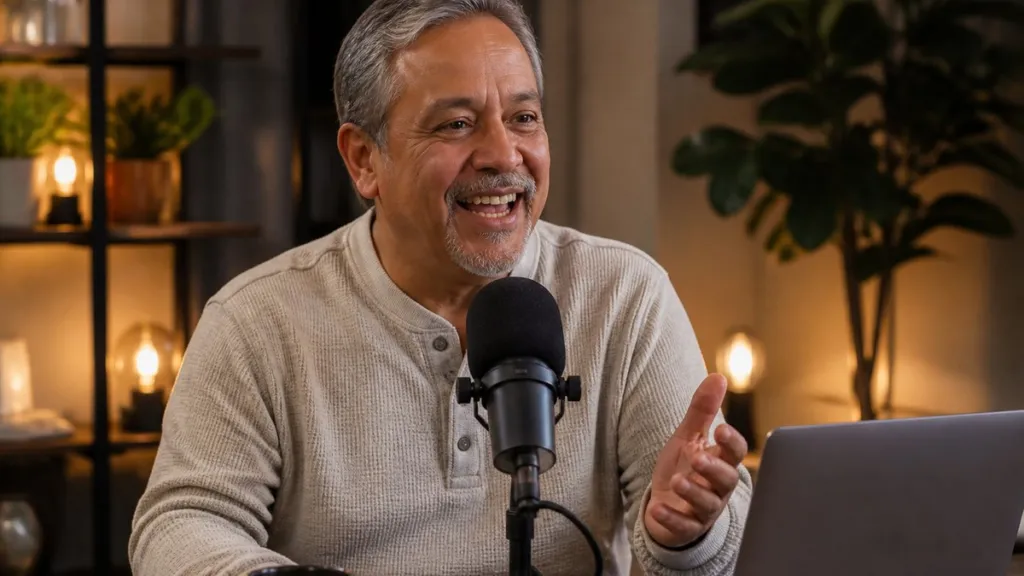
A podcast recording involves more than placing microphones in front of a host and guest. The set, camera arrangement, and production format influence how each episode appears to its audience. A professional podcast studio brings these elements together through coordinated recording facilities and production support. Here is how you can create a recording environment suited to your show’s format and intended audience:
This guide is part of the everyday reading list on Glorvix.com.
Design Branded Sets
The background used gives viewers an immediate visual introduction to your podcast. When you’re developing a branded series, the set should reflect its subject without distracting from the conversation. A financial advisory show may use a structured backdrop with company branding and understated furniture to keep the focus on the conversation. A lifestyle podcast studio covering interior design could use a home-style setting with different visual details.
Different episodes also benefit from changes in their visual presentation. A company interviewing senior executives may prefer a formal backdrop, while customer conversations suit a more relaxed arrangement. Interchangeable backgrounds allow the same recording space to accommodate different program styles and achieve different atmospheres.
Set galleries provide additional ideas for shaping a production’s appearance. Available styles include reclaimed wood backgrounds, kitchen sets, curtain arrangements, and three-dimensional textured panels. A media interview also requires a different visual treatment from a roundtable discussion. Matching the set to the recording format gives each production a recognizable visual identity.
Configure Camera Coverage
Camera placement determines how viewers follow conversations during video podcasts. A two-person interview benefits from individual speaker shots alongside a wider view of both participants. When a guest makes a key point, switching to a closer angle gives the discussion visual emphasis. Multi-camera production supports these changes without interrupting the conversation. This makes it feel worthwhile.
The number of cameras also influences the available editing options. A single-camera recording provides one continuous view, while multiple cameras capture different perspectives. Some productions use isolated camera feeds, allowing editors to select shots during post-production. Live-switched recordings provide a finished camera sequence during the session itself.
Integrate Remote Guests
Remote interviews let hosts include experts who cannot travel to the recording location while maintaining a shared production format. A business podcast could feature a host interviewing a specialist who joins via Zoom. Remote guest integration brings their contribution into the studio recording, with connectivity and multitrack capture supporting the production. Before the session, the following details help prepare remote participation.
- Confirm the guest’s connection and selected conferencing platform before recording.
- Schedule a technical check to test incoming audio and video.
- Prepare speaker names and lower thirds for the finished visual presentation.
- Coordinate the host’s questions with the remote guest’s availability.
- Check that each participant’s audio is captured correctly by the recording system.
Prepare Finished Episodes
Recording a podcast is only one part of preparing content for publication. Editorial consultation helps shape the show’s format and pacing before the final episodes reach their audience. During post-production, editors review recorded material, refine the content, and organize it into coherent episodes. The original recording can also provide material for additional content, extending the show’s reach across other platforms.
One interview can support multiple publications. A full-length episode is produced for the podcast’s main audience, while shorter excerpts highlight key points from the discussion. Branded graphics also help to keep the presentation consistent, as they will be seen across the published content. Several deliverables contribute to different stages of distribution.
- Edited Episodes: Cleaned-up recordings fit for the intended podcast.
- Mixed Audio: Speaker tracks that are balanced for easy listening on any device.
- Short Clips: Excerpts selected for social media and promotion.
- Branded Graphics: Visuals that establish the show and the speakers who are presented.
- Distribution Assets: Formatted files prepared for the selected publishing platforms.
Learn More About Podcast Studio Production
Recurring recording sessions also help organizations maintain a consistent publishing schedule. When planning a series, grouping several interviews into one production period provides material for upcoming releases. A multi-day engagement also accommodates different guests and episode formats within a coordinated schedule. Seek professional podcast production support when developing a recording plan that fits your content schedule and distribution requirements.
- Annual Physicals and Understanding Key Factors That Affect Your Health
- Using Cryoablation To Treat Chronic Conditions
- Elevating Your Space With Designer Paint Finishes
- Creating the Perfect Atmosphere in Your Podcast Studio
- Advantages of Enrolling in an Online DNP Program
Find more practical guides on the Glorvix home page.